Click the  on the top of the screen. The
Advanced Search screen will be displayed.
on the top of the screen. The
Advanced Search screen will be displayed.
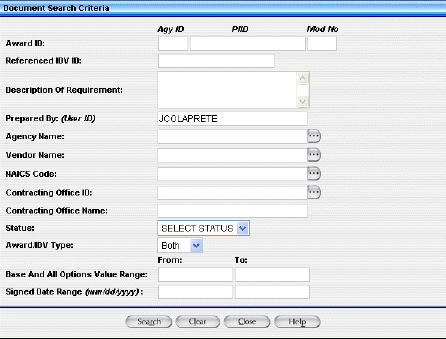
Enter any search criteria you want.
You may use a % as a wildcard.
You may use the  Ellipsis button to see a pick list.
The Advanced Search feature allows you to do complex searches for an award or IDV by using several criteria.
Click the on the top of the screen. The
Advanced Search screen will be displayed.
Enter any search criteria you want.
You may use a % as a wildcard.
You may use the Ellipsis button to see a pick list.
Click the  Search button. A
list of documents will display.
Search button. A
list of documents will display.
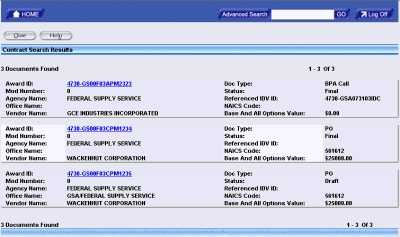
Click the document you want.